
Introduction
Why Productivity Matters in the Digital Age
In today’s fast-paced digital world, managing time efficiently has become more important than ever. With constant emails, deadlines, and online tasks, staying productive is essential to avoid burnout and keep work moving forward.
How AI Productivity Tools Help
AI productivity tools are designed to save time and reduce workload by automating routine tasks, organizing information, and streamlining workflows. These tools help users work smarter, not harder, by handling repetitive tasks and improving focus.
Who This Guide Is For
This guide is ideal for:
- Students managing studies and assignments
- Freelancers handling multiple clients and deadlines
- Professionals aiming to improve daily efficiency
- Businesses looking to optimize workflows and productivity
What You’ll Learn from This Post
By the end of this post, you’ll learn:
- What AI productivity tools are and how they work
- The benefits of using AI to improve efficiency
- Popular AI productivity tools to get started with
- Practical tips and common mistakes to avoid
What Are AI Productivity Tools?
Simple Definition
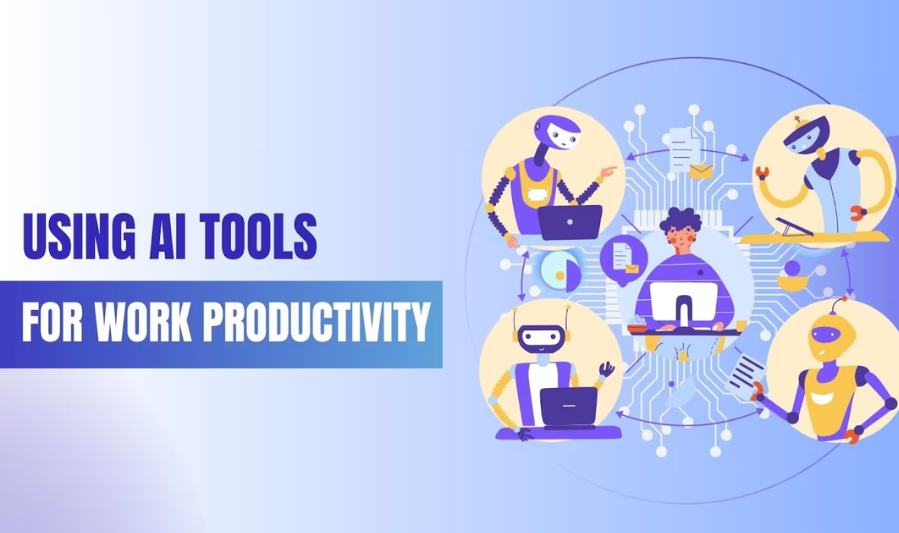
AI productivity tools are software applications that use artificial intelligence to help people work more efficiently. They assist with tasks like organizing information, automating repetitive work, managing schedules, and improving focus.
How AI Improves Productivity
Artificial intelligence enhances productivity by:
- Automating repetitive tasks such as scheduling, reminders, and data entry
- Analyzing information to provide summaries, suggestions, or insights
- Optimizing workflows by learning user behavior and recommending smarter ways to work
- Reducing mental load so users can focus on creative and high-priority tasks
AI-Powered Tools vs. Traditional Productivity Software
| Feature | AI Productivity Tools | Traditional Productivity Software |
|---|---|---|
| Automation | Intelligent, adaptive automation | Manual or rule-based automation |
| Learning ability | Improves over time using data | No learning or adaptation |
| User support | Smart suggestions and insights | Limited to preset functions |
| Efficiency | Saves more time with less effort | Requires more manual input |
AI-powered productivity tools go beyond basic task management by actively helping users work smarter, making them especially valuable in today’s digital environment.
Benefits of Using AI Productivity Tools
Time-Saving Through Automation
AI productivity tools automate repetitive tasks such as scheduling, reminders, note organization, and data entry. This saves valuable time and allows users to focus on more important and meaningful work.
Better Task and Project Management
These tools help organize tasks, set priorities, and track progress more effectively. AI-powered suggestions can assist in planning workloads and meeting deadlines without feeling overwhelmed.
Improved Focus and Reduced Distractions
AI tools can help minimize distractions by organizing information, filtering notifications, and suggesting focused work sessions. This leads to better concentration and improved work quality.
Increased Accuracy and Efficiency
By reducing manual work and human error, AI productivity tools improve accuracy. Tasks are completed faster and more consistently, boosting overall efficiency.
Beginner-Friendly Tools with Simple Interfaces
Many AI productivity tools are designed with easy-to-use interfaces, guided features, and helpful prompts. This makes them accessible for beginners with little or no technical experience.
Categories of AI Productivity Tools
4.1 AI Writing and Communication Tools
Examples: ChatGPT, Grammarly
Uses:
- Drafting emails and messages
- Writing content and reports
- Creating summaries and improving clarity
Ideal for: Students, professionals, and freelancers who want to communicate faster and more effectively
4.2 AI Task and Project Management Tools
Examples: Notion AI, Trello with AI features
Uses:
- Task tracking and to-do lists
- Project planning and organization
- Team collaboration and workflow management
Ideal for: Individuals and teams managing multiple tasks or projects
4.3 AI Automation Tools
Examples: Zapier, IFTTT
Uses:
- Automating repetitive workflows
- Connecting apps and syncing data
- Triggering actions based on events
Ideal for: Beginners looking to save time by reducing manual work
4.4 AI Time Management Tools
Examples: Clockwise, Motion
Uses:
- Calendar optimization
- Scheduling focus time and meetings
- Reducing scheduling conflicts
Ideal for: Professionals who want better control over their time and workload
4.5 AI Note-Taking and Organization Tools
Examples: Otter.ai, Notion AI
Uses:
- Recording and summarizing meeting notes
- Organizing information and ideas
- Knowledge management and documentation
Ideal for: Students, professionals, and teams that rely on notes and documentation
Top AI Productivity Tools (Detailed Reviews)
1. ChatGPT – AI Writing, Problem Solving & Idea Generation
Key Features:
- Natural language text generation
- Answering questions, brainstorming ideas
- Drafting emails, reports, articles, and summaries
- Conversational assistance for research, planning, coding help
Benefits:
- Versatile use: From writing tasks to explanations of complex topics
- Time-saver: Produces drafts quickly so you can edit rather than start from scratch
- Accessible: Works for students, freelancers, professionals alike
- Customizable: With prompts, you can tailor tone, length, and style
Common Use Cases:
- Drafting blog posts or email newsletters
- Creating outlines and content ideas
- Answering research questions or summarizing lengthy text
2. Notion AI – Productivity, Notes & Organization
Key Features:
- AI-assisted note creation and summarization
- Task tracking and project planning
- Knowledge database organization
- Integrated with Notion pages and databases
Benefits:
- All-in-one workspace: Combines notes, tasks, and documents
- Smart summaries: Turns long meeting notes into concise highlights
- Workflow integration: Keeps tasks and references in one place
- Team collaboration: Shared pages help teams stay aligned
Common Use Cases:
- Managing class notes or work projects
- Synthesizing meeting transcripts into next steps
- Organizing goals, tasks, and research materials
3. Grammarly – Writing Accuracy and Clarity
Key Features:
- Grammar and spell checking
- Tone and clarity suggestions
- Plagiarism detection (in paid plans)
- Style and engagement recommendations
Benefits:
- Instant feedback: Helps you write more clearly and correctly
- Multi-platform: Works in browsers, Word processors, emails, and social media
- Learning support: Explains corrections so you improve over time
Common Use Cases:
- Polishing professional emails or reports
- Tightening blog content or essays
- Improving tone for different audiences (formal, casual, friendly)
4. Microsoft Copilot – Office Productivity Automation
Key Features:
- AI support integrated into Microsoft 365 (Word, Excel, Outlook, Teams)
- Generates text, analyzes data, and creates summaries
- Automates repetitive tasks like formatting or draft creation
Benefits:
- Seamless with Office apps: Works where you already spend much of your time
- Boosts office workflow: Helps with emails, presentations, spreadsheets
- Enterprise-ready: Useful for businesses as well as individual users
Common Use Cases:
- Drafting polished reports in Word
- Creating data insights and summaries in Excel
- Preparing slides and speaking notes in PowerPoint
5. Zapier – Workflow & Task Automation
Key Features:
- Connects hundreds of apps and services
- Automates repetitive workflows (e.g., when X happens → do Y)
- Simple drag-and-drop automation builder (Zaps)
Benefits:
- Saves manual effort: Moves data and triggers actions across tools automatically
- No coding required: Easy setup even for beginners
- Huge app ecosystem: Works with email, calendars, CRM, chat tools, cloud drives
Common Use Cases:
- Auto-saving email attachments to cloud storage
- Sending Slack or Teams notifications on form submissions
- Syncing CRM leads to spreadsheets or task lists
6. Clockwise – Time & Calendar Management
Key Features:
- AI-optimized calendar scheduling
- Creates focus blocks by minimizing meeting conflicts
- Suggests better meeting times
- Syncs with Google Calendar
Benefits:
- Better time control: Helps you carve out uninterrupted work sessions
- Reduces scheduling friction: Finds room for deep work without manual rearranging
- Improves work–life balance: Helps balance meetings and productive hours
Common Use Cases:
- Allocating focus time for writing or planning
- Redistributing meetings to less disruptive hours
- Coordinating team schedules around productivity blocks
You may also like to read these posts:
Top Employee Workplace Trends Shaping the Future of Work
Beginner Workout Plans: A Complete Guide to Start Your Fitness Journey
Breaking Latest Technology News from Around the World
Top Beginner Tech Tutorials for Learning Technology Fast
Complete Step-by-Step Tool Guide for Beginners
Best AI Productivity Tools for Beginners and Professionals
Summary Comparison
| Tool | Main Strength | Best For |
|---|---|---|
| ChatGPT | Flexible writing & problem solving | Drafting, brainstorming |
| Notion AI | All-in-one organization | Notes, tasks, projects |
| Grammarly | Writing accuracy | Emails, essays, clarity |
| Microsoft Copilot | Office automation | Word/Excel/Outlook workflows |
| Zapier | Workflow automation | Cross-app task automation |
| Clockwise | Time management | Calendar optimization |
How Beginners Can Start Using AI Productivity Tools
Identify Productivity Challenges
Start by recognizing what slows you down the most—too many emails, poor time management, messy notes, repetitive tasks, or lack of focus. Knowing your biggest productivity challenges helps you choose the most effective AI solution.
Choose the Right AI Tool Based on Your Needs
Select an AI tool that directly addresses your challenges. For example, use AI writing tools for communication tasks, automation tools for repetitive work, or time management tools to organize your schedule.
Start with Free Plans or Trials
Many AI productivity tools offer free versions or trial periods. Beginners should take advantage of these to explore features, test usability, and build confidence without financial risk.
Learn Basic Features First
Focus on understanding the core features before moving on to advanced options. Mastering the basics ensures smoother workflows and prevents overwhelm.
Gradually Explore Advanced Tools
Once you’re comfortable, start exploring advanced features like automation, integrations, or AI-driven insights. Gradual learning helps you maximize productivity while maintaining control over your workflow.
Tips for Using AI Productivity Tools Effectively
Use AI as a Support Tool, Not a Replacement
AI productivity tools are designed to assist your work, not replace critical thinking or decision-making. Use AI to handle routine tasks while you stay in control of planning, creativity, and final decisions.
Customize Tools to Fit Your Workflow
Most AI tools allow customization through settings, templates, or integrations. Tailor these features to match your personal or professional workflow so the tool works for you, not the other way around.
Combine Multiple Tools Strategically
Using the right combination of tools can boost productivity—for example, pairing an AI writing tool with a task manager or an automation tool. Be intentional and avoid overlapping tools that do the same job.
Review AI-Generated Outputs
Always review AI-generated suggestions, summaries, or content. This ensures accuracy, relevance, and quality, and helps you maintain control over your work.
Faqs:
What are AI productivity tools?
AI productivity tools are software applications that use artificial intelligence to help users automate tasks, organize work, and increase efficiency.
Are AI productivity tools suitable for beginners?
Yes. Many AI productivity tools have simple interfaces and tutorials, making them beginner-friendly.
Can AI productivity tools save time?
Absolutely. They automate repetitive tasks, streamline workflows, and allow users to focus on important work.
Do AI productivity tools have free versions?
Yes, most popular AI productivity tools offer free plans or trials with basic features.
Which AI productivity tools are best for beginners?
Some of the best tools to start with are ChatGPT for writing, Notion AI for organization, and Grammarly for writing improvement.
Conclusion
Top AI productivity tools are transforming the way beginners, professionals, and businesses work by automating tasks, organizing workflows, and improving efficiency. Tools like ChatGPT, Notion AI, and Grammarly allow users to save time, stay focused, and boost productivity without overwhelming complexity.
By starting with one or two beginner-friendly tools and gradually exploring advanced features, anyone can work smarter, accomplish more, and make the most of AI technology in their daily routines.